A free haircut simulator: what free means, said plainly
Haircut Simulator is free to download and free to try, and you do not need an account to start. Here is what that means, and what comes after. Free to try.


Is Haircut Simulator really free?
The app is free to download and free to try, and you do not need an account to start. After you have tried it, you can choose a subscription or a pack of credits inside the app. You decide if and when, once you have seen what it does with your own photo.
What free means here
-
Free to download
You can install the iPhone or Android app at no cost. Look for Haircut Simulator by Hbrothers L.L.C. in your app store. There is no browser version, so the app is the one place to try it.
-
Free to try, no account
You can start without making an account. Add a photo, pick a cut and look at the result. The aim is that you judge the app by what it shows on your own face, not by a sign-up form.
-
What a first try covers
A first try is the main flow: one photo, a cut from the catalogue, a color or No changes, and See original. What is included before you choose a plan is shown inside the app, so check it there.
-
What comes after
When you want to keep going, the app offers a subscription or a pack of credits. Which suits you depends on how many looks you want to try. The options are shown inside the app, before you commit.
-
Why we say it this way
Plenty of free tools are not free for long, so this page does not call the app free forever. It is free to download and free to try. Past that, you choose, and only if it earned it.
- Best for
- Anyone who is curious but unsure a simulator is worth it. You can see your own result first, then decide if more looks are worth a subscription or credits.
- Upkeep
- Nothing to maintain while you try. If you choose a subscription later, it is managed in your App Store or Google Play account like any other.
- Watch out for
- Free to try is not free forever. Read the options in the app before you choose, and remember a result is a preview, not a promise about how your hair will turn out.
More looks to try


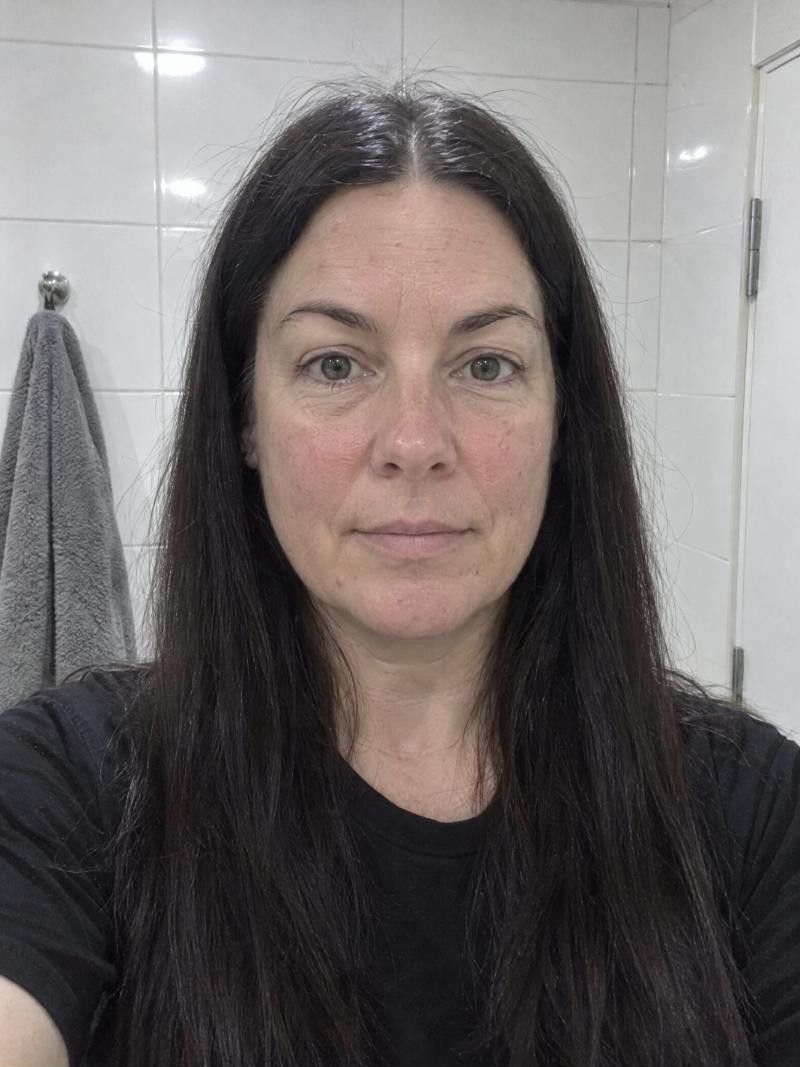
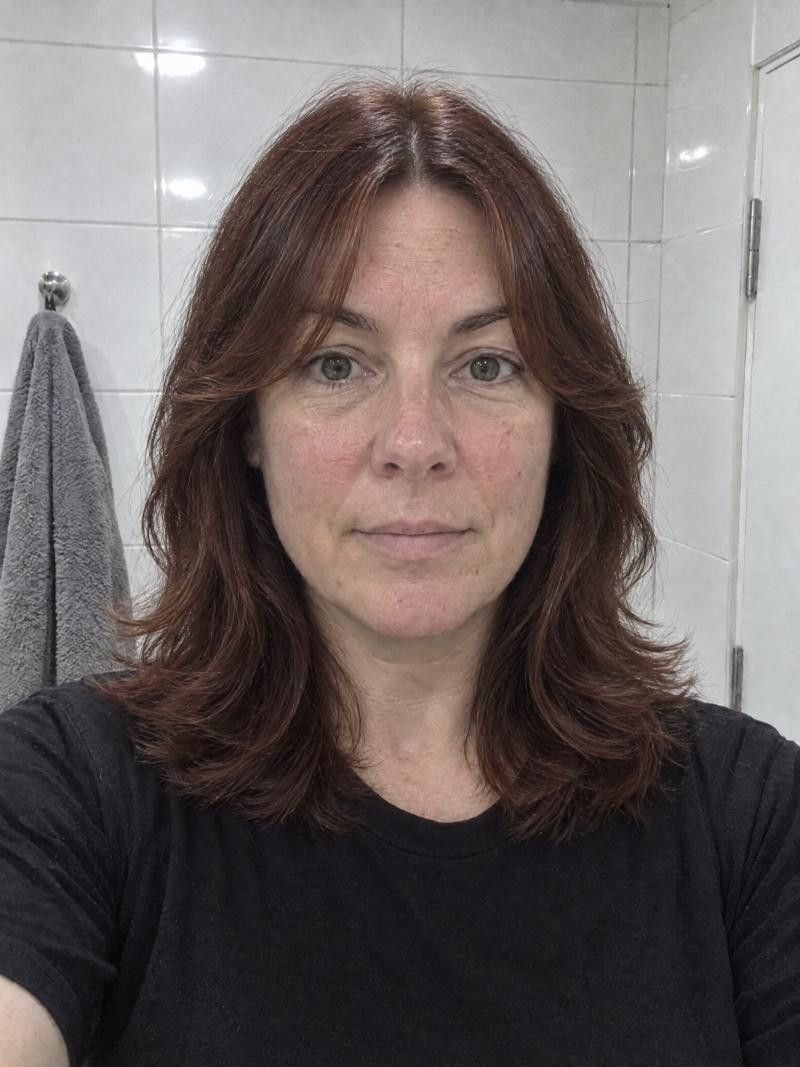
Get the most from your first try
-
Start with a good photo
Use one clear, front-facing photo in daylight with your hair off your face. Every result depends on it, so a little care here pays off.
-
Try three different cuts
Pick one short, one medium and one long cut, or three you have been curious about. Seeing a range tells you more than seeing three similar styles.
-
Test a color
Try a color such as Ash Gray or Auburn on your favorite cut, or choose No changes to keep your own. You can also change only the color.
-
Use See original
Toggle See original to compare with your real photo. If you keep coming back to the same look, that is usually your answer.
Before you commit anywhere
Decide on the cut first
Judge the looks before you think about any plan. If none of the results make you want to book a stylist, you have learned what you needed to know.
Compare before you save
Keep two or three favorites rather than twenty. A short list is easier to show a stylist and easier to choose from.
Ask your stylist the real questions
A preview cannot tell you how your hair will behave. Ask about texture, density and upkeep before you book, and let that, not the picture, make the final call.
Good to know.
Something else on your mind?
Write to us
Do I need an account to start?
No. You can start without an account: add a photo, pick a cut and see the result. You can then decide whether you want a subscription or a pack of credits.
What can I do in a first try?
You can add one photo, browse hundreds of haircuts, try a hair color or keep yours, and compare with See original. How much is included before you choose a plan is shown in the app.
Should I choose a subscription or credits?
It depends on how much you plan to try. Credits suit a few looks for one decision, while a subscription suits people who will keep exploring. Both are shown inside the app, so you can compare them there.
Is there a free version in my browser?
No. Haircut Simulator is an app for iPhone and Android, and there is no browser version. The app is free to download and free to try.
How do I decide whether it is worth it?
Use the first try on the cuts you have been wondering about. If a result changes your mind, or gives you a clear idea to show your stylist, it did its job. If not, you can stop there.
Keep exploring
- Virtual Haircut Try a virtual haircut, then walk into the salon prepared
- Hairstyle Try On Hairstyle try on: how to get a preview you can trust
- Haircut Simulator for Women Choose your next cut with a haircut simulator for women
Ready for your new look?
See it on you before you cut. Free to try.